 Log in with ChatGPT
See the bigger picture.
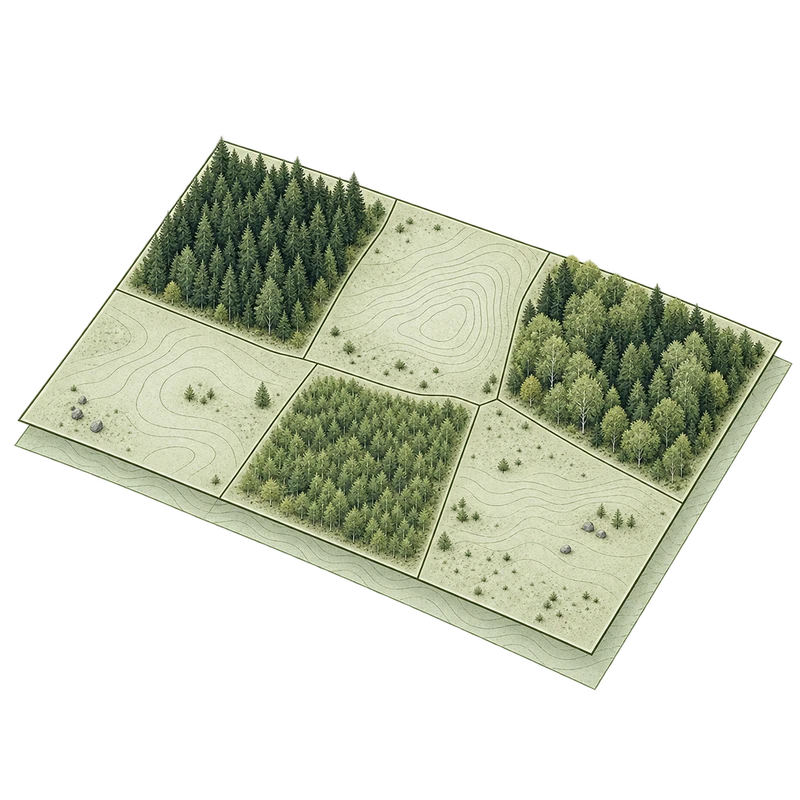
Explore the stands on the map. Select an area to see its size, age, tree species and planned actions.

 SV
Log in with ChatGPT
The next chapter of forest ownership starts here.
SV
Log in with ChatGPT
The next chapter of forest ownership starts here.The map, the stands and the actions. Together in ChatGPT.
Ask about your forest and explore the answers in your plan.
For forest management plans in pcSKOG format.
Your own ChatGPT subscription is required.
Technical terms, abbreviations, maps and tables. A forest management plan holds a wealth of knowledge, but it can be hard to understand what the information means for your forest.
That can leave you relying on someone else to interpret the plan. You have the information, but may lack the overview to ask the right questions and take the next step.
With Skog MCP, you can ask ChatGPT about your plan in your own words. Get terminology explained, see information in context and follow answers back to the stands on the map.
“What does this mean for my forest?”
A better understanding of your forest. A stronger foundation for your decisions.
Try a conversation with the planWhich stands have thinning proposed? What is in stand 3? Ask in your own words and explore the details on the map.
Try an example question or choose a stand below.
 ChatGPTSkog MCP · Example conversationForest plans/Example forest
A map to explore. A conversation to think in.
Try a question or choose a stand.Skog MCP makes your forest management plan easier to understand. Less time searching through tables. More time getting to know your forest.
Explore the stands on the map. Select an area to see its size, age, tree species and planned actions.
Find stands with thinning proposed, compare layers or ask ChatGPT to explain the information in your plan.
Switch between the map and tables. Follow each answer back to the right stand and the data in your file.
First and foremost, private forest owners. For anyone who wants to understand their plan and get a clearer picture of the forest they own.
Your forest, your questions. Get an overview of the stands, understand the actions proposed in your plan and follow the answers back to the map.
Try the example planGet to know the tree species, stands and terminology in your plan. Start with a question and take it from there.
How to get startedExplore the forest in your plan even when you are not out in it. See where the stands are and what they contain.
Explore the mapYou work in ChatGPT. Skog MCP opens your plan and makes its information available to the conversation.
Log in with ChatGPTLog in and open the plugin. Skog MCP needs to be connected to your account.
Open a .pcskogz file. The map and stands are loaded from your plan.
Click the map or ask a question. Continue the conversation using your plan as the source.
Skog MCP helps you read and understand your plan. Your original file stays unchanged. Proposed actions come from your plan, so you can see the information behind them.
The plugin reads the information in your plan. It does not calculate future growth or the value of your forest.
Yes. You need your own ChatGPT subscription to use Skog MCP. It is paid for separately and is not included in the Skog MCP price. Skog MCP costs SEK 99 per month or SEK 999 per year. See pricing and payment options.
Skog MCP reads forest management plans in pcSKOG's .pcskogz format. The map shows the stand boundaries in your file, and the tables contain the plan's information.
You go to Skog MCP in ChatGPT. If you are logged out, you will need to log in there. The plugin must be connected to your account before you can open your plan. This website has no separate account login.
No. Skog MCP reads your file and displays its contents. The original file stays unchanged, and the plugin does not write changes back to your plan.
The current version reads plans using a local MCP server connected to ChatGPT through a secure tunnel. When you select a file in the browser, it is transferred to that server through the MCP connection. Plan information needed for the conversation is shared with ChatGPT. This website does not receive your plan files.
Skog MCP is a prototype with a personal plugin connection. You need access to the plugin and its connected MCP server to use it. A publicly available installation has not launched yet.
Start with your plan. Continue with a question.
Log in with ChatGPT